2 Minuten
Bet history is the journal of saved events and bet legs. Bets arrive here from the calculator, can be added manually, edited, and settled.
Inhaltsverzeichnis
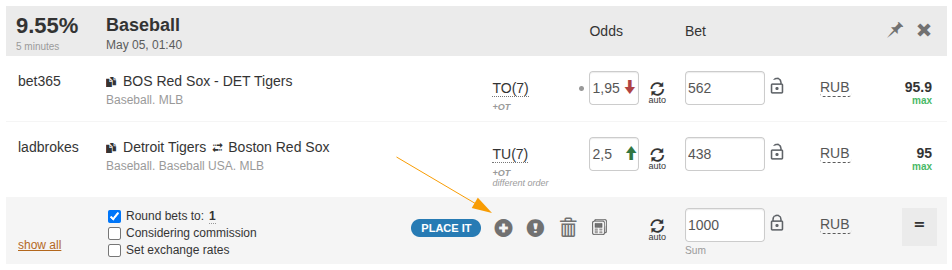
Save from the calculator
The Bookkeeping button in the calculator transfers event, bookmakers, odds, stakes, and currencies into history. After saving, legs remain in play until you set the result.
Add a bet manually
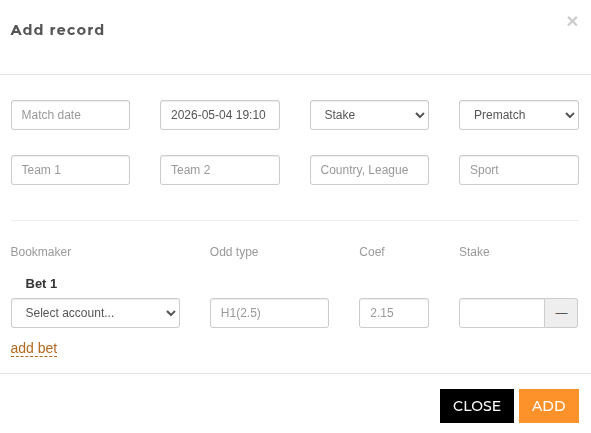
If a bet was placed outside the calculator, add it manually. Fill teams, sport, league, match time, record time, section, mode, and bet legs.
Event and leg fields
An event describes the match or market. A leg describes the actual bet: account, market, odds, stake, status, and optionally freebet. One record can contain several legs.
Settlement statuses
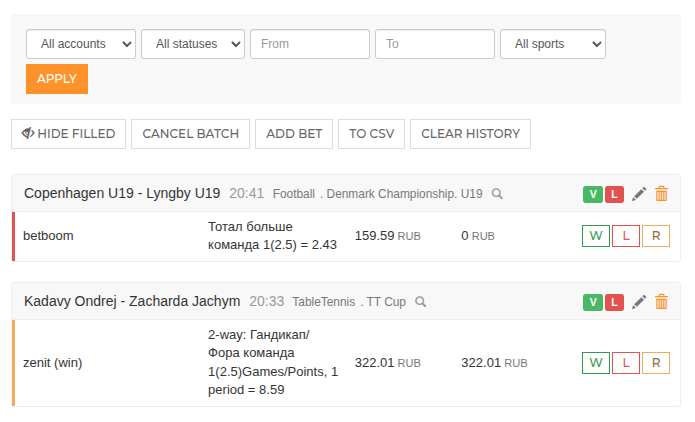
In play means an open bet. Win, lose, and ref settle a regular win, loss, and refund. Half win and half lose are used for partial settlements such as Asian markets.
Editing and batch settlement
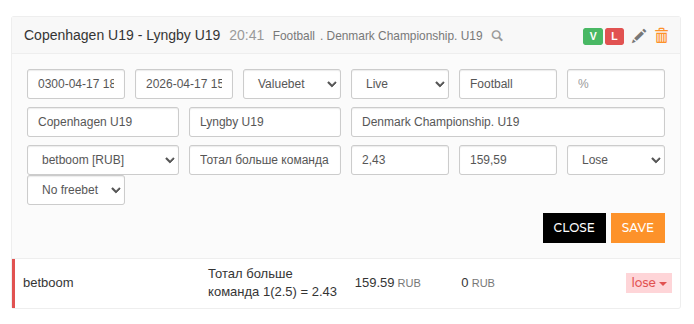
Inline edit lets you correct event details, account, market, odds, stake, status, and freebet attachment. Batch status update is useful when several legs settle at once.
Deleting from history
Deleting archives the event and legs. They disappear from history, export, analytics, and balance recalculation, but are not physically deleted. Affected balances are recalculated.
Read next
Könnte nützlich sein