2 minutes
Bookkeeping in BreakingBet helps you track bets: save bets from the calculator, manage bookmaker accounts, settle results, monitor available balance, and analyze performance.
Table of contents
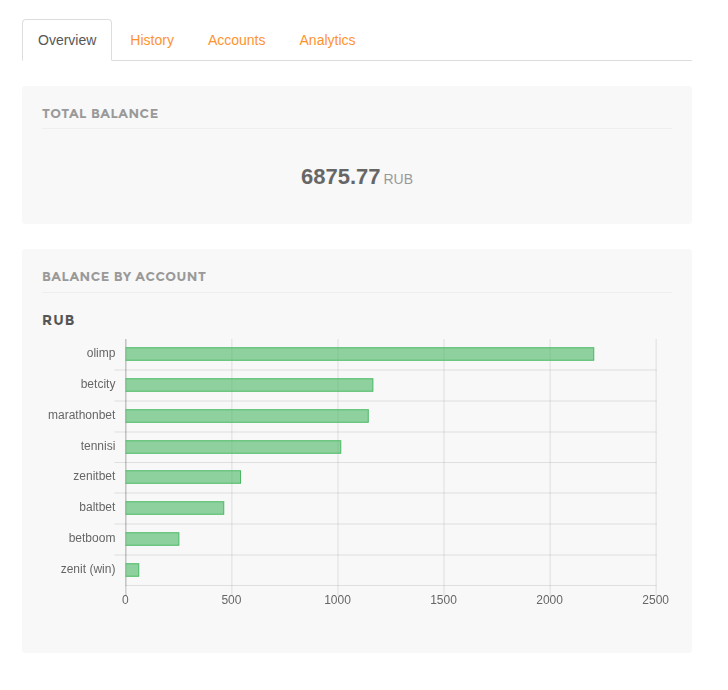
What Bookkeeping is for
Bookkeeping answers practical questions: how much money is available on each account, which bets are still open, which bets are settled, what the settled profit is, and which accounts perform better.
Basic workflow
- Open Bookkeeping in your profile.
- Create bookmaker accounts and choose the currency for each account.
- Add deposits and withdrawals if you want the current balance to reflect real funds.
- Save bets from the calculator or add them manually.
- After settlement, change each leg status: win, lose, refund, half win or half lose.
- Review analytics: profit, ROI, open exposure, account statistics and sport statistics.
Accounts and balance
An account represents your account at a bookmaker. One bookmaker can have several accounts, for example with different names or currencies. The accounts page shows current balance and the in game amount: open stakes that have been placed but not settled yet.
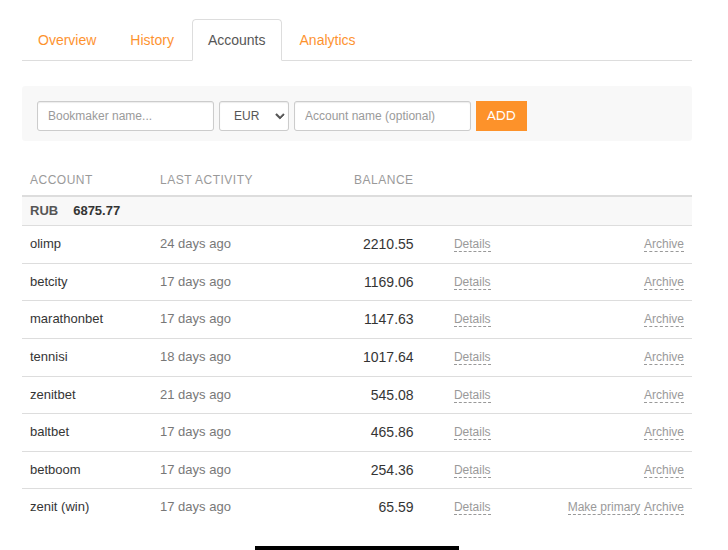
Open bets reduce available balance immediately. This is expected: the money has already left the bookmaker account even though the result is not known yet.
How to save a bet
The fastest way is to use the Bookkeeping button in the calculator. The system creates an event and bet legs with bookmakers, odds, stakes and currencies.
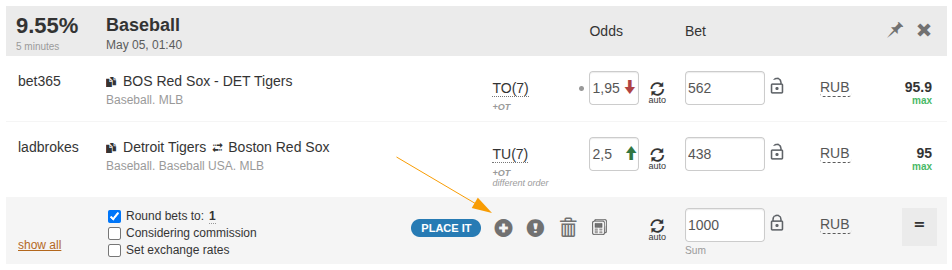
If the bet was placed outside the calculator, you can add it manually on the history page.
Bet history and statuses
Each history record contains an event and one or more bet legs. Until a bet is settled, it remains in play. After settlement, choose the correct status: win, lose, refund, half win or half lose.
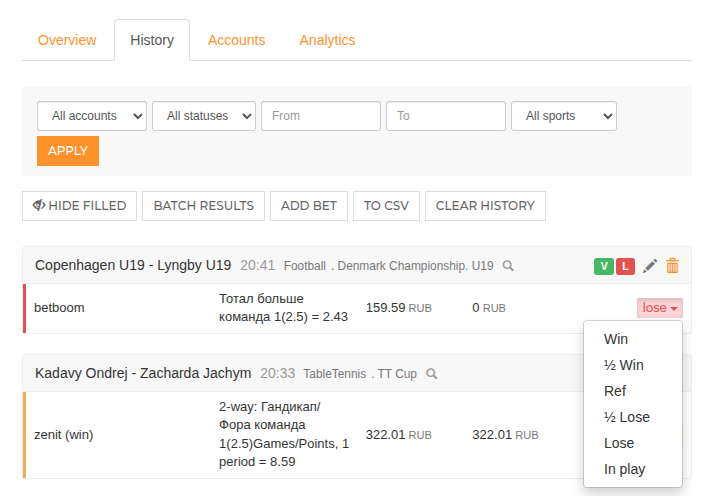
Statuses affect balance and statistics. A win adds payout, a loss removes the stake, a refund returns the stake, and half statuses apply partial settlement.
Analytics
Analytics show the result for settled bets. Profit and ROI are not distorted by open bets: in-play stakes are displayed separately as open exposure.
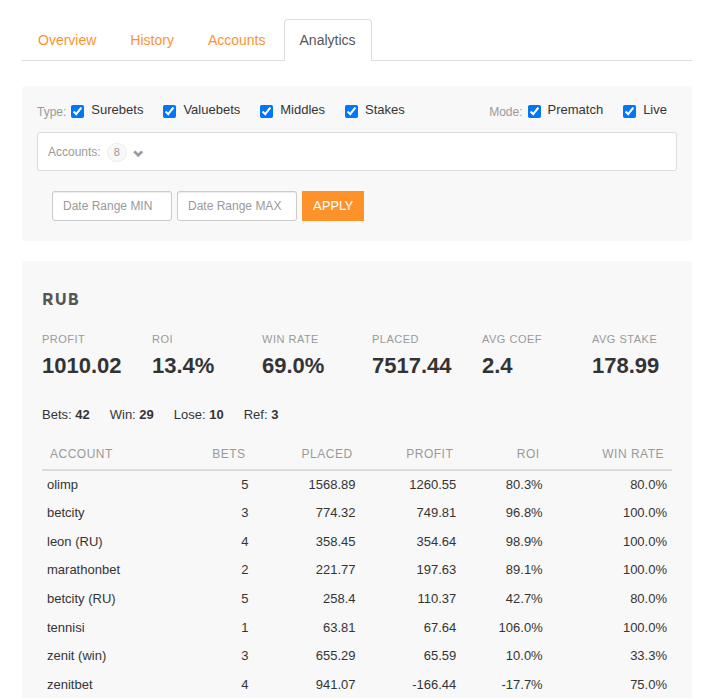
Use filters by bet type, mode, account and date range to analyze separate strategies or accounts.
Read next
May be useful