3 minutes
A maximum stake limit lets you record the highest amount a bookmaker accepts on a specific account. BreakingBet uses this value in automatic calculations and helps keep suggested stakes within that restriction.
Table of contents
You enter the limit manually. It is not imported from the bookmaker website and does not update automatically.
How to set a limit
- Open Bookkeeping in your profile.
- Go to the Accounts tab.
- Click the required account name.
- Enter an amount in the Max bet field.
- Click Save.

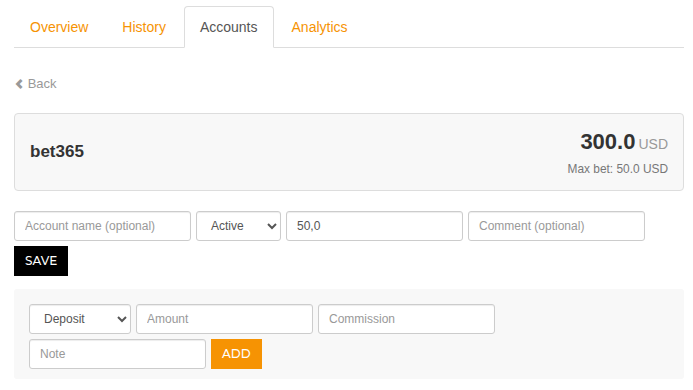
The limit is entered in the account currency. For example, for a USD account, a value of 50 means a maximum stake of 50 USD. You can enter an amount with up to two decimal places.
Only values greater than zero are accepted. An empty field means that no limit is set for this account.
How the calculator applies the limit
When you open the calculator, BreakingBet compares the calculated stake for every leg with the corresponding bookmaker limit. If a stake exceeds the allowed amount, the calculator:
- reduces it to the available limit;
- recalculates the other legs;
- adjusts the total amount;
- marks the limited stake with a special icon.
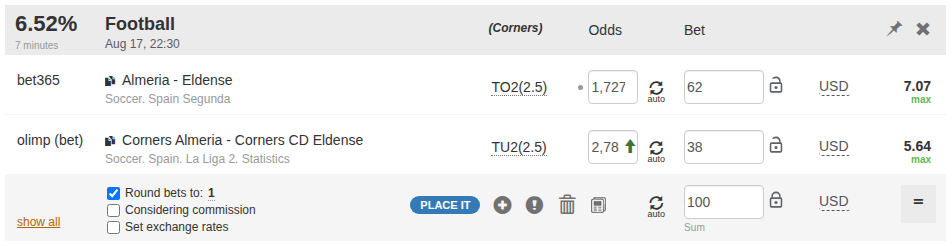
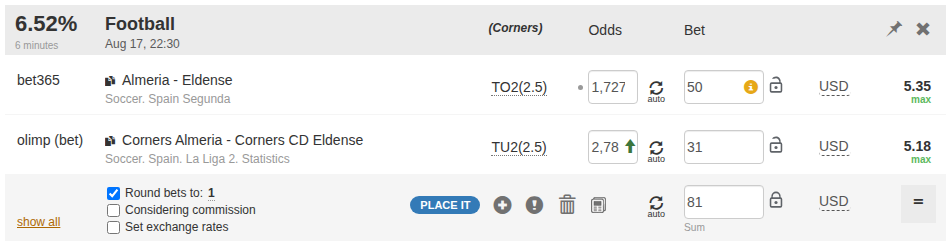
As a result, the final total may be lower than the amount you originally entered. For surebets and middles, the calculator scales the entire distribution to preserve the correct relationship between the stakes.
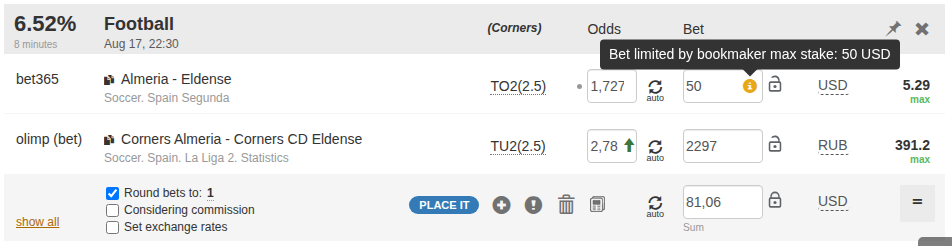
Click the information icon next to the amount to see the applied limit and its currency.
Which account is used
If you have several accounts with the same bookmaker, the calculator uses the account marked as primary. To select another account:
- open Bookkeeping → Accounts;
- find the required account;
- click Make primary.
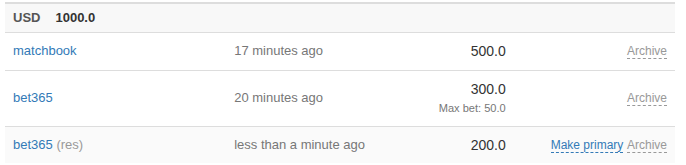
Limits from archived and blocked accounts are not sent to the calculator. If the primary account is archived, another active account with that bookmaker becomes primary.
Stake limit and account status
The Max bet field and the Limited account status serve different purposes. The status is an operational label and does not set a maximum stake by itself. To limit calculator results, enter an amount in Max bet.
Using different currencies
The limit is stored in the account currency. If another currency is selected in the calculator, BreakingBet converts the restriction using the current calculation rate. With rounding enabled, the final stake can be slightly below the limit so that rounding does not push it above the specified amount.
How to change or remove a limit
To change a limit, open the account page, enter a new amount, and save the settings. To disable the limit:
- clear the Max bet field;
- click Save.
The calculator will then stop applying a limit for this account.
Important
The limit helps with calculations but does not check the current value on the bookmaker website. Before placing a bet, always verify the available maximum stake and the odds directly with the bookmaker.
If you manually change an amount or lock a leg, check the final calculation again before opening the bookmaker.
Read next
May be useful